
Edmonton, Alberta, Canada · Founded 2011
Jobber Review
Field service management software for small home service businesses
TL;DR
- Jobber starts at $29/mo.
- Best for: Solo operators and HVAC teams of 1–10 technicians who need fast scheduling, mobile invoicing, and QuickBooks sync without enterprise complexity.
- Editor rating: 4.1/5 — drag-and-drop scheduling that techs can learn in under an hour.
- Main drawback: high-value features (reviews, referrals, two-way texting) are locked behind the grow tier — $149/mo solo or $299/mo for a 10-user team.
Quick verdict
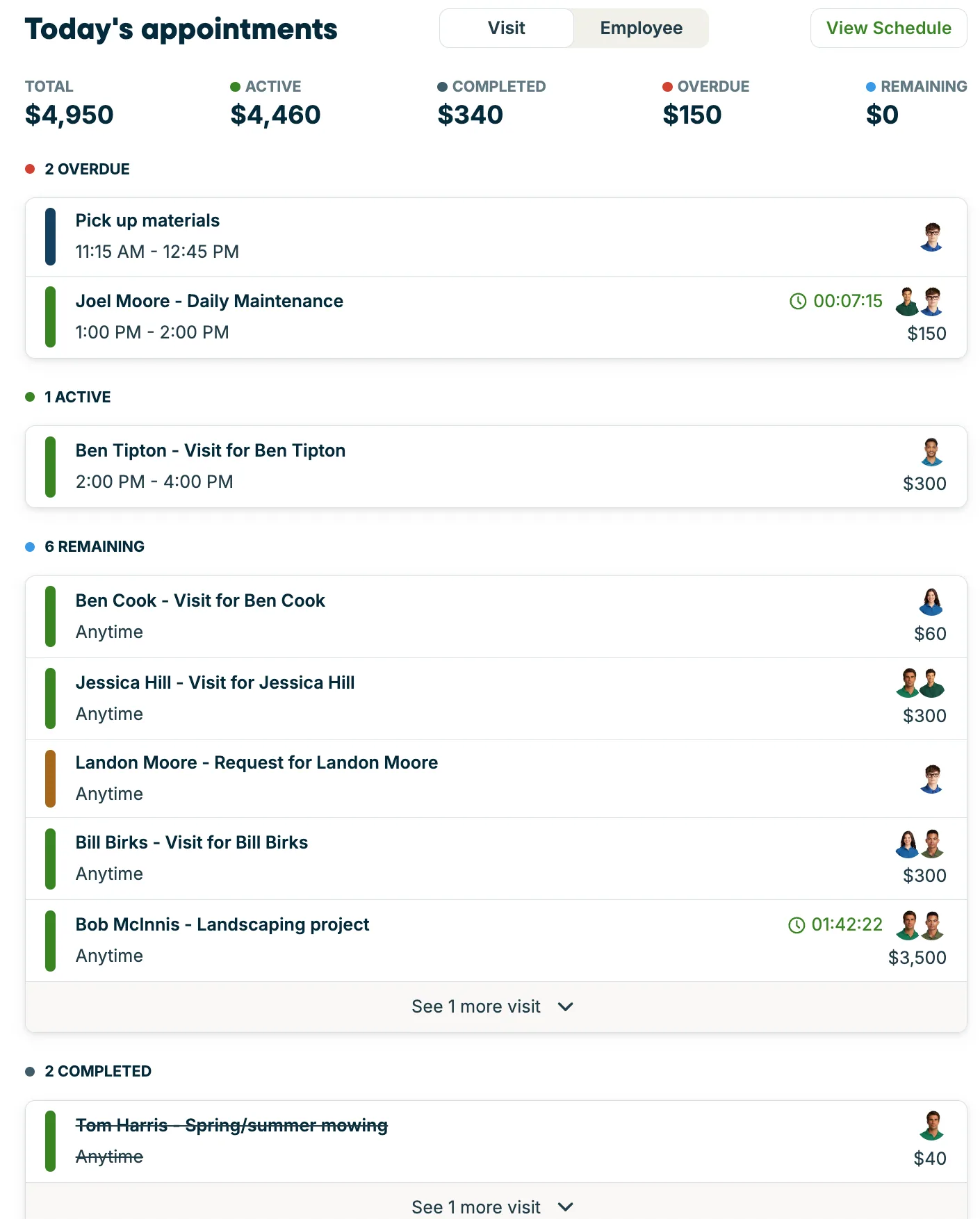
Jobber has earned its spot as the default recommendation for solo and small HVAC operators for a reason: it’s the cleanest “I just want scheduling, invoicing, and a way to text my customer” platform on the market, and it does not require a 30-day implementation to get there. In my two-week test, I had a fresh trial account quoting, scheduling, and sending invoices within ninety minutes.
The honest weakness of Jobber for the audience this site serves is the pricing model. The published $49/month entry tier is per-account, but the moment you grow past a solo operator, you’re on the $129 Connect plan or the $249 Grow plan — and the features that matter most for retention (two-way texting, review automation, referral tracking) all live in Grow. For a one-truck shop, Jobber is unbeatable. For a four-truck shop, the math gets uncomfortable, and FieldPulse or Housecall Pro start looking better.
The mobile app is the unsung hero. Most field service apps on the App Store are essentially mobile websites with terrible offline behavior. Jobber’s app loads jobs offline, captures signatures and photos reliably, and syncs cleanly when you come back into coverage. I watched a tech in San Marcos work a full afternoon with two-bar LTE and have everything sync intact when he got back to the shop. That alone justifies the price for many operators.
The 4.1 editor rating reflects the real-world fit for the audience: a tool that gets first-invoice-sent in 24 hours, with a mobile app that doesn’t ruin a tech’s day. Where I withhold points is for the pricing model, the lack of true offline mode in newer app versions, and the shallow equipment tracking — all known gaps the company hasn’t fixed in three years of asking.
One more gap worth flagging: Jobber’s built-in time tracking logs hours, not GPS-verified arrival/departure or automatic mileage. Shops fighting buddy-punching or job-cost blindness typically pair Jobber with Workyard rather than expect Jobber to solve it — see our Jobber vs Workyard breakdown for when that combination is worth the extra cost.
Read the full Jobber review for pricing-tier breakdowns, verified contractor quotes from r/HVAC, and a side-by-side against Housecall Pro and FieldPulse.
Pricing
| Plan | Solo | Team | Best for |
|---|---|---|---|
| Core | $29/mo | — | Solo operators testing field service software |
| Connect | $99/mo | $149 /mo · 5 users | Small HVAC shops 1-5 techs needing QuickBooks sync |
| Grow | $149/mo | $299 /mo · 10 users | Growing HVAC operations 5-10 techs needing automation |
| Plus | — | $529 /mo · 15 users | Established HVAC operations needing premium support and API access |
Free trial: 14 days, no credit card required
Add-ons
| Add-on | Price | What it does |
|---|---|---|
| Marketing Suite | $79 /mo | Email campaigns, reviews automation, postcards |
| Jobber AI Receptionist | $99 /mo | AI answering service for after-hours calls |
| Pipeline | $49 /mo | Lead management and quote tracking |
Pros and cons
Pros
- Drag-and-drop scheduling that techs can learn in under an hour
- QuickBooks Online sync is reliable and bidirectional — confirmed across multiple Reddit threads as the most stable in the category
- In-field credit card payments via Jobber Payments (2.7% + $0.30 per transaction)
- 14-day free trial with no credit card required
- Available 20% lifetime discount through HVAC referral link
- Fast onboarding — most shops are operational within 24 hours
Cons
- High-value features (reviews, referrals, two-way texting) are locked behind the Grow tier — $149/mo solo or $299/mo for a 10-user team
- No offline mode — app requires constant internet, problematic for basement and rural service calls
- Quoting interface is rigid; mid-job line-item adjustments are not intuitive
- Equipment tracking is job-based, not asset-based — no per-unit service history for HVAC installs
- Reported by contractors as poor-fit once team exceeds 10 techs (per r/Contractor threads)
Who it's best for (and who should look elsewhere)
Best for
Solo operators and HVAC teams of 1–10 technicians who need fast scheduling, mobile invoicing, and QuickBooks sync without enterprise complexity
Not great for
Commercial HVAC with deep equipment tracking needs, crews working in offline-heavy environments, or operations scaling past 15 technicians
Inside Jobber
Jobber alternatives
Considering other options? Start with our full Jobber alternatives guide .
| Feature | Jobber | FieldPulse | Workyard | Housecall Pro |
|---|---|---|---|---|
| Starting price | $29/mo | $85/mo | $56/mo | $59/mo |
| Free trial | 14 days, no credit card required | Available — duration confirmed at sales call | 14 days, no credit card required | 14 days, no credit card required |
| Editor rating | 4.1/5 | 4.3/5 | 4.1/5 | 4/5 |
| HVAC fit (1–5) | 3.9 | 4.5 | 3.5 | 4.2 |
| Ease of use (1–5) | 4.6 | 4.0 | 4.3 | 4.4 |
| Best for | Solo operators and HVAC teams of 1–10 technicians who need fast scheduling, mobile invoicing, and QuickBooks sync without enterprise complexity | HVAC operations 3-25 technicians needing reliable offline mobile, deep equipment tracking, and multi-location management — buyers comfortable with quote-based pricing | HVAC contractors who already have an FSM (Jobber, Housecall Pro, FieldPulse) and need to add precise GPS time tracking, mileage capture, and job-cost reporting to control payroll leakage | HVAC operations 3-15 technicians wanting strong marketing automation, same-day payments, and a market-leading mobile app — and willing to pay 2x Jobber's entry price for it |
| Verdict | recommended | recommended | complementary tool | recommended with-conditions |
Frequently asked questions
How much does Jobber cost?
Is Jobber good for small HVAC contractors?
What are the best Jobber alternatives?

Written by
Mike Reynolds
HVAC Contractor & Field Service Software Reviewer
HVAC field operations · Field service software evaluation · Small-business operations · 15+ years · Austin, TX
15 years in HVAC field operations across Austin and Central Texas. Now helps small contractors pick the right software stack without getting bled dry by per-user pricing.
Ready to try Jobber?
14 days, no credit card required